
Best AI 3D model generator for 3D printing, tested
An AI 3D model generator for 3D printing is judged on something different from one aimed at games. A game engine wants a light mesh; a printer wants a shape it can physically resolve. We sent one figurine through both image-to-3D services in the Actionway catalog on their cheapest untextured settings — from $0.22 per run (none-standard-triangle) — and the two files that came back differ by a factor of fifty. Neither difference is about quality, and the cheaper one is the denser one.
连接你的 AgentOne figurine, two services
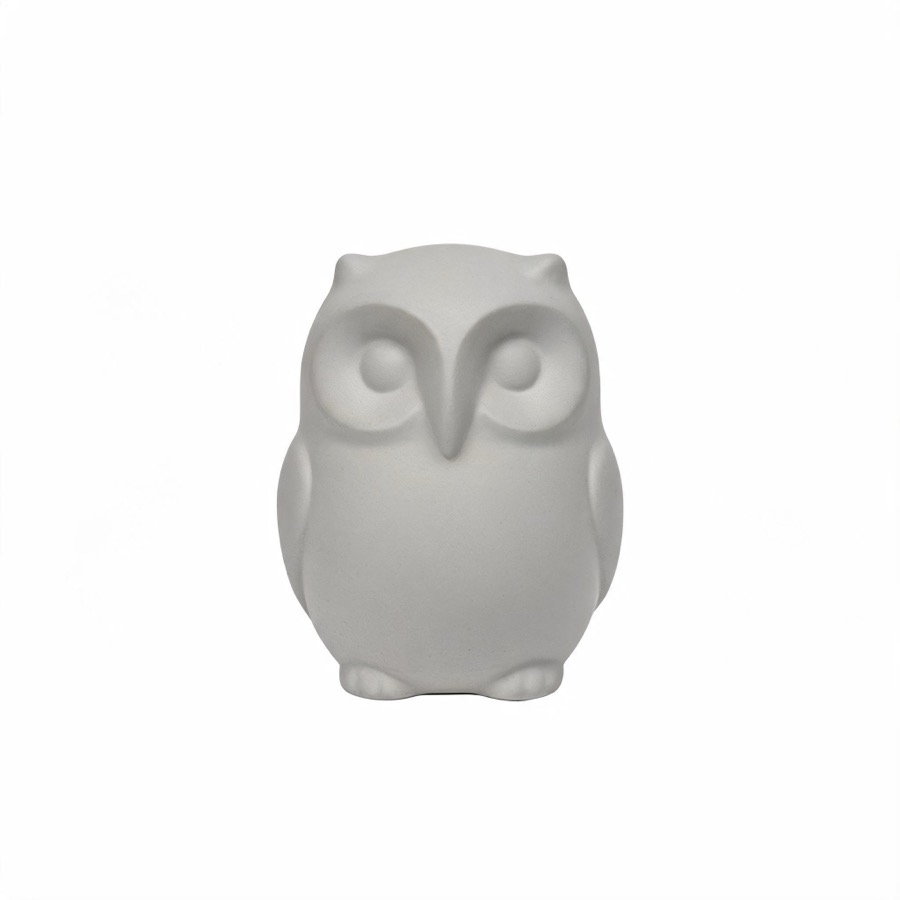
The test object is deliberately boring: a small owl figurine, one solid form, no thin sticking-out parts. That is what a printable object looks like, and it is a fairer input than a dramatic character pose. We generated it once as a plain product shot, then sent that single image to both services.
你这样问
Turn outputs/owl.jpg into a 3D model with no texture, triangles, standard geometry — I want to print it.
Both services take the same kind of request. Texture is switched off because a printed object gets its colour from the filament, not from a texture map, and an untextured run is the cheaper configuration on both.
| Service | Price | Render time | Triangles | File |
|---|---|---|---|---|
| Tripo H3.1 | $0.22 per run (none-standard-triangle) | 2 min 45 s | 1,478,872 | 40.8 MB .glb |
| Meshy V7 | $0.968 per run (untextured) | 1 min 50 s | 29,279 | 0.8 MB .glb |
Fifty times the triangles, fifty times the file size, from the same picture — and the dense one is the cheaper of the two. That is the single most useful thing to know before you pick, because it is the opposite of what the prices suggest and it decides how the rest of your afternoon goes.
Why more triangles is not better here
A printer cannot express detail finer than it can physically lay down. On a common desktop machine that is a nozzle a few tenths of a millimetre across and a layer height in the same range. A million and a half triangles on a palm-sized figurine describes surface detail far below that threshold, so the printer rounds it away regardless. What the extra geometry does affect is everything before the print: a 40 MB mesh is slower to open, slower to slice, and heavier to move around than one under a megabyte that produces the same physical object.
This is the mirror image of the trade-off in the game engine comparison, where a dense mesh is a problem because it has to be drawn sixty times a second. Here it is a problem because it has to be sliced, and in both cases the fix is the same: say what you need in the request rather than fixing it afterwards.
The format step everyone forgets
Both services return a .glb file. Most slicers want STL or 3MF. So there is a conversion step between what arrives and what your printer software opens, on either service, every time. That is ordinary local file work — the agent can do it in the same session at no charge — but it is worth knowing about before you plan a pipeline around the download.
It is also the moment to do everything else that is free: scaling the model to the size you actually want in millimetres, orienting it so the flat face is on the bed, and looking at it. A mesh you have not opened is not a model you are about to print; it is a file you have paid for.
How to choose between them
Start with a polygon budget, not a service
Decide roughly how much geometry the object needs and put that number in the request. Both services accept it, and it settles the biggest difference between them before it appears.
Give it a printable subject
One solid form, no wire-thin protrusions, whole object in frame, plain background. A generator will happily produce a shape that needs supports everywhere; the input brief is where you avoid that.
Turn texture off
A printed object takes its colour from the filament. Skipping texture is both the cheaper configuration and one less thing arriving that you will not use.
Budget for a second run
At $0.22 per run (none-standard-triangle) the cheaper service, adjusting the brief and going again costs less than most of the alternatives to trying at all.
Running it from Claude Code
你这样问
Make a 3D model from outputs/owl.jpg with no texture and a budget of about 40,000 triangles, then convert it to STL and scale it to 80 mm tall.
One priced run and two free local steps. The agent lists the 3D services with their prices before anything runs, and picking one is the approval; the converted file lands in your project.
Claude Code cannot build a mesh on its own; the Skill installed with the CLI adds the 3D generation capability to the session, while the conversion and the scaling are ordinary local work it can already do. Every run is priced before it starts, and an empty wallet stops the job before anything is charged.
Set it up once
npm install --global @actionway/cli@latest
actionway init
mkdir -p "$HOME/.claude/skills"
cp -R "$HOME/.actionway/skill/actionway" "$HOME/.claude/skills/actionway"You need Node.js 20 or newer and an Actionway account. Codex users copy the same folder into ~/.codex/skills/actionway instead, and both routes reach the same catalog and the same wallet — the get started page lists the steps per client side by side.
常见问题
Can AI generate a 3D model for printing?Yes — one image in, a mesh out, from $0.22 per run (none-standard-triangle). Both services in the catalog returned a model of our figurine from a single product shot, one at 1.48 million triangles and one at 29,000.
How many triangles does a printed model need?Fewer than you would expect. Print resolution is set by nozzle size and layer height, so detail below that is rounded away no matter how dense the mesh is. Ask for a polygon budget in the request rather than decimating a huge file later.
Do these services output STL?No — both return .glb, and most slicers want STL or 3MF, so a conversion step sits between the download and the print. It is free local work your agent can do in the same session, along with scaling and orienting the model.