
Best 2D-to-3D tools for Codex game devs
The 2D-to-3D tools for Codex game devs are two services in the Actionway catalog, from $0.22 per run (none-standard-triangle), and both take one image and return a mesh. The difference that matters is not the price: we sent the same concept art to both and got back 1.49 million triangles from one and 31,000 from the other. This is what to ask for so you get the second kind.
Connect your agentOne image, two services, two very different meshes
We used the robot concept from the game asset guide — full body, front view, plain background — and sent it to both services on the cheapest configuration each offers. Both completed in about two minutes. The models below are the untextured meshes, rendered here as grey so the geometry is what you are judging.
| Service | Configuration | Price | Render time | File | Triangles |
|---|---|---|---|---|---|
| Tripo H3.1 | no texture, standard geometry, triangles | $0.22 per run (none-standard-triangle) | 2 min 14 s | 40 MB .glb | 1,489,974 |
| Meshy V7 | no texture | $0.968 per run (untextured) | 2 min 12 s | 1.2 MB .glb | 31,259 |
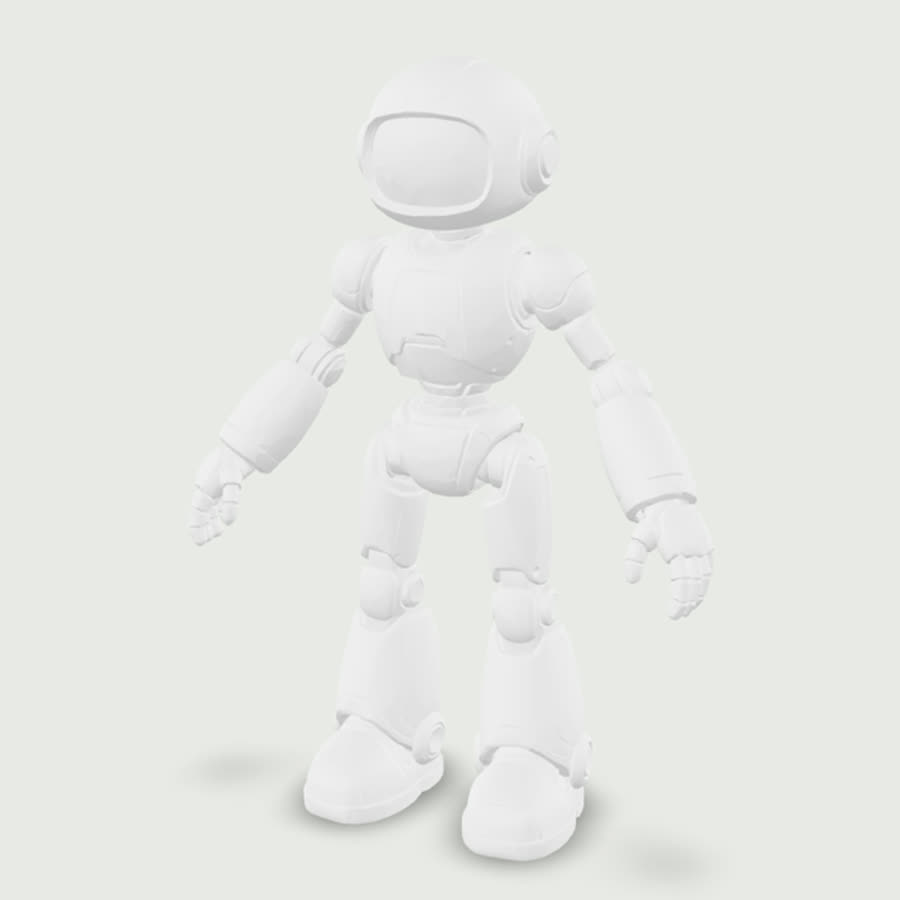
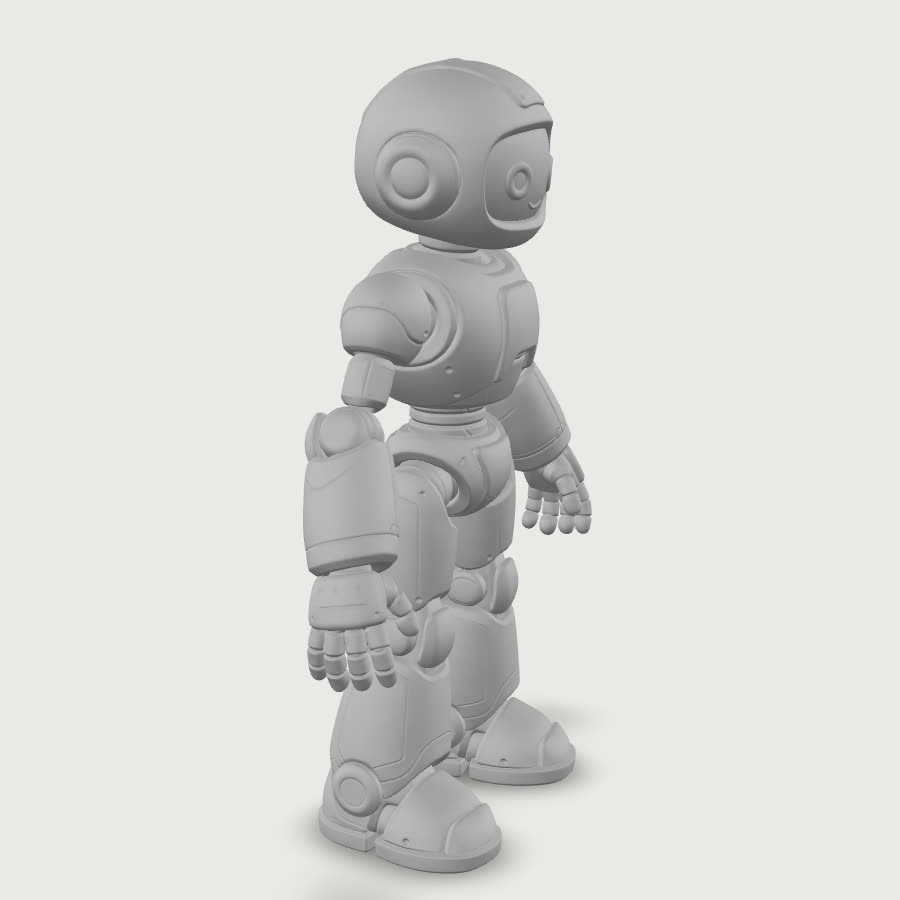
The dense mesh is not a worse model
A million-and-a-half triangles is what a scanner produces, and it is the right output if your next step is retopology in a modelling package. It is the wrong output if your next step is dragging the file into an engine, where it will cost you memory and frame time for detail nobody sees. The mistake is not picking the cheaper service; it is not saying what the model is for.
Both services accept a polygon budget in the call — a target count and a face limit — and both accept a remesh flag that rebuilds the surface at that budget instead of decimating it afterwards. Saying "under 30,000 triangles" in your request is one clause, costs nothing extra, and is the single change that turns a generated model into an asset. Without it you are paying for geometry you will spend an evening removing.
Triangles or quads decides your file format
The topology option is not only about the mesh. In our runs, asking for triangles returned a .glb — the format a browser, a viewer, or most engines will open directly. Asking for quads returned an .fbx, which is what a modelling package wants and what a plain viewer will not show you. Pick by where the file is going: straight into the engine, ask for triangles; through a modelling pass first, ask for quads and expect to open it in that tool.
What the input image should look like
Front view, standing straight
Arms slightly away from the body, weight even. A dramatic three-quarter pose gives the model less to infer from and bakes the pose into the mesh, which you then cannot undo.
Plain background, no shadow
Anything behind the character is geometry the service has to decide about. A flat white or grey field with no cast shadow gives the cleanest silhouette.
Whole subject in frame
Feet and hands included. Whatever is cropped out of the image is missing from the model, and there is no second pass that fills it in.
No text or logos on the character
Lettering becomes noise on the surface. Keep insignia for the texture pass, which you will most likely do in your own tool anyway.
What still needs a human afterwards
A generated mesh is a starting point, not a finished asset, and it helps to know which jobs it does not do. It has no UV layout you would want to hand-paint on, no material breakdown, no collision shape, and no level-of-detail chain. For a background prop none of that matters. For a hero character that the camera gets close to, the generated mesh is best treated as a sculpt to retopologise over rather than as the thing you ship.
The honest test is scale. If you need one statue in a courtyard, generating it at a sensible budget and dropping it in is minutes of work and cents of cost. If you need forty props with a consistent look and a shared material setup, the per-model savings stop mattering and the pipeline work in front of you is the same as it always was. Use this to fill a scene quickly, not to replace the part of the job where an artist decides how the scene is built.
Running it from Codex
You ask
Take outputs/character.jpg and make me a 3D model for the engine — under 30k triangles, triangles not quads, no texture.
The agent lists the two services with prices before anything runs, and picking one is the approval. The budget and the topology are the two things worth stating every time.
Codex can inspect the returned file, report its triangle count, and convert or decimate it locally for nothing — but it cannot generate the mesh. The Skill installed with the CLI adds the 3D generation capability to the same session, priced per run, and the model lands as a file in your project. Multi-image input is available too, if you have several views of the same subject.
Set it up once
npm install --global @actionway/cli@latest
actionway init
mkdir -p "$HOME/.codex/skills"
cp -R "$HOME/.actionway/skill/actionway" "$HOME/.codex/skills/actionway"You need Node.js 20 or newer and an Actionway account. Claude Code users copy the same folder into ~/.claude/skills/actionway instead, and both routes reach the same catalog and the same wallet — the get started page lists the steps per client side by side.
Questions
Can Codex turn a 2D image into a 3D model?Not on its own. With the Actionway Skill installed it calls one of two image-to-3D services from $0.22 per run (none-standard-triangle) and saves the model file into your project.
Why did my generated model have over a million triangles?Because the request did not name a budget. On the default configuration one service returned 1,489,974 triangles from our concept image; asking for a polygon target and a remesh is what produces a game-ready mesh instead.
Which format will I get back?In our runs, triangle topology returned a .glb that opens in any viewer or engine, and quad topology returned an .fbx meant for a modelling package. Choose the topology by where the file is going next.